Every after-hours inquiry should end the night with a named owner and a backup. Its first reply should say only what your current records support. At opening, it should be on the owner's list with the whole conversation and every due time. A fast reply that nobody follows up on still leaves the buyer waiting.
Hypothetical scenario. It's a Saturday night in April. Between 7 p.m. and midnight, four inquiries arrive:
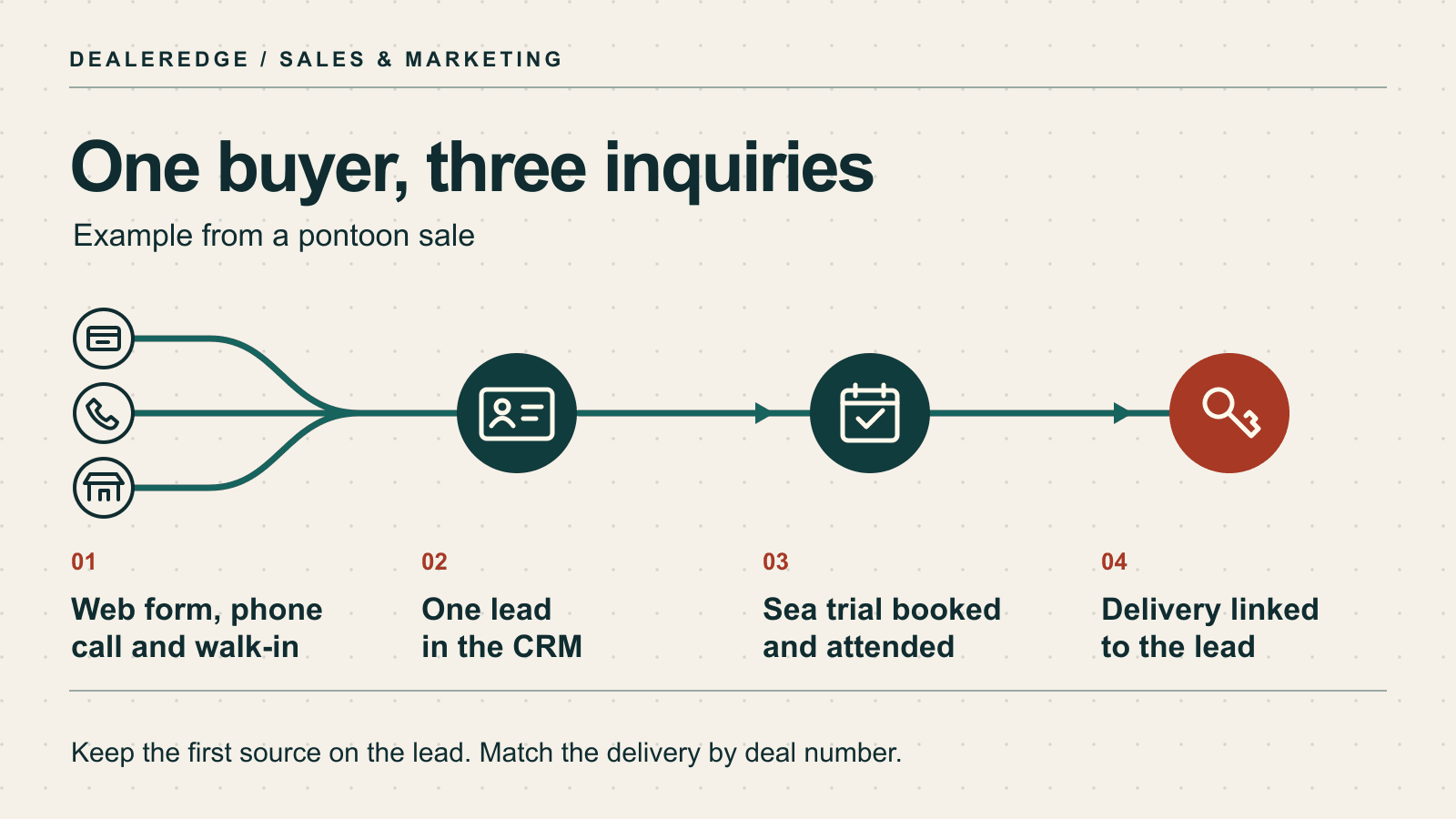
A website form asking whether a used 2019 22-foot pontoon is still available.
A listing-site lead on a bowrider that sold on Thursday.
A text asking what the store would give in trade for a 2016 runabout.
A reply on an earlier text thread: "Can you just email me instead?"
Decide which hours and channels are covered
List every channel you take inquiries on, including the ones nobody staffs. For each, write down when someone is actually available and what happens outside those hours.
Channel | Staffed hours | After hours | Where the record lands |
|---|---|---|---|
Website forms | Mon–Sat, 9–6 | Automatic reply; owner assigned | CRM |
Listing-site leads | Mon–Sat, 9–6 | Same as website forms once imported | CRM, directly or through an email import |
Phone | Mon–Sat, 9–6 | Voicemail, answering service or automated answering | Phone system, then CRM |
Text | Mon–Sat, 9–6 | Automatic reply in the customer's thread | Texting tool or CRM |
Chat | Mon–Sat, 9–6 | Bot or offline form | Chat tool, then CRM |
Social messages | Irregular | No coverage | Social inbox |
Illustrative setup. Replace every row with your store's own channels, hours and systems.
The last column matters most. If a channel's after-hours messages land somewhere nobody opens on Monday, that channel isn't covered, whatever its automatic reply says.
What an automatic reply can answer, and what needs a person
Not every inquiry can be answered at night, and not every inquiry belongs to sales.
Request | What the first reply says | Needs a person? |
|---|---|---|
Availability or price on a unit | Current status and posted price from the inventory record, plus a next step | No, if the record is current |
Unit already sold | That it sold, plus comparable units in stock now | No |
Visit or sea trial | The times the store can offer, and that a person will confirm | Yes, unless bookings come from a calendar that reflects real staff availability |
Trade-in value | The details and photos to send, and when a person will call | Yes |
Financing | When a person will follow up | Yes |
Existing deal or delivery | That the deal's salesperson will follow up | Yes |
Complaint | That a manager will follow up | Yes |
Service or parts | Service department hours and contact | Route to service, not sales |
"Thanks, we got your message and someone will be in touch" is an acknowledgment. "Yes, the 2019 pontoon is still here at the posted price. Would Tuesday or Wednesday work to see it?" is an answer. An automatic reply can give a real answer only when it draws on records the store keeps current: stock status, posted price, store hours and the visit times on offer. Where a record could be stale, such as a unit that sold this afternoon and hasn't been marked, the reply should say what the record shows and that the owner will confirm it.
An automatic reply should never:
quote a trade value, a payment, financing terms or an out-the-door price;
promise that a unit is held;
confirm a visit time nobody has agreed to cover;
contact the customer on a channel they didn't use or ask for.
Give every request type an owner and a backup
This is the table to agree on with your team.
Request | Owner | Backup | Overnight action | Promised to the customer | Evidence it was done |
|---|---|---|---|---|---|
Availability or price | Next salesperson in the rotation | Sales manager | Answer; assign owner | A call or message by 10 a.m. next open day | Logged call or message, timed before 10 a.m. |
Sold unit | Next salesperson in the rotation | Sales manager | Answer; assign owner | Matching units sent by noon next open day | Sent message listing the matches |
Visit or sea trial | Next salesperson in the rotation | Sales manager | Offer times; assign owner | Time confirmed by 10 a.m. next open day | Confirmation sent; calendar entry with an owner |
Trade appraisal | Used-boat manager | Sales manager | Collect details and photos; assign owner | Appraisal call by end of next open day | Logged call with its outcome; photos attached |
Financing | Finance manager | Sales manager | Acknowledge; assign owner | Contact next open day | Logged call or message with its outcome |
Existing deal or delivery | Salesperson on the deal | Sales manager | Acknowledge; assign owner | Contact by 10 a.m. next open day | Logged call or message |
Complaint | Sales manager | General manager | Acknowledge; assign owner | A call by 10 a.m. next open day | Logged call with its outcome and a manager note |
Service or parts | Service advisor | Service manager | Route to service | The service department's own standard | Ticket in the service system |
Example roles and times. Before coverage starts, replace each role with a named person and a named backup, and use times your team can keep.
Set each promised time by what the backup can deliver on a short-staffed Monday, not by what the owner manages on a good day.
If you run more than one store, name the owner and backup for each store before the stores share an after-hours process. A shared inbox with no named owner at each location is where inquiries go unworked.
When a person must step in, and what happens if nobody does
Escalate to a person, whatever the request type, when:
the customer asks for a person;
the customer is upset;
the answer isn't in the store's records;
the customer asks to switch channel.
Escalating means the automatic reply stops trying to answer. It tells the customer that a person will follow up and by when, and the inquiry goes on the owner's list with the reason.
Every assigned inquiry then follows the same deadline path:
The owner's deadline comes before the customer's, for example an hour before the promised time.
If the owner hasn't acted by then, the inquiry moves to the backup, who still has time to keep the promise.
If the promised time passes with no contact, the inquiry goes on a missed-promise list that the general manager reviews that day. A person contacts the customer with an apology and a new time.
A request to stop messages takes an inquiry out of this path. Stop all messages to the customer on that channel at once, automatic or manual, and record the request. Close any open promise, so the inquiry never reaches the backup or the missed-promise list. Whether anyone may contact the customer another way is for your consent policy to decide, not the routing table.
Three cases to script in advance
The boat already sold
Say so in the first reply. Offer comparable units that are actually in stock, of the same type and size range at a similar price, and ask whether the customer would like the owner to send details.
Hypothetical reply: "Thanks for asking about the 2020 bowrider. It sold on Thursday. We have two similar boats in stock now, a 2021 21-foot bowrider and a 2019 22-foot model. Would you like Dana to send you details and photos on Monday?"
Then find out why the listing was still up. If a sold unit still shows on a listing site or on your own website, fix that at the source. Boat Inventory Syndication covers how sold status should travel to every channel.
A trade appraisal that needs a person
For the 2016 runabout from Saturday night, photos and details support an appraisal, but they don't replace the used-boat manager's judgment of the boat. Ask for the year, make, model, length, engine and hours, whether a trailer is included, and photos, then tell the customer who will call and when. If your used-boat manager allows a range before inspection, only a person sends it.
The used-boat manager should have the photos and details before the call, so the first conversation doesn't repeat the form.
A customer who asks to switch channel
"Can you just email me?" means the next message goes by email. Record the preference on the customer record, stop the text thread, and make sure the morning owner sees the preference before replying.
Run the morning handoff
At opening, each overnight inquiry should be on its owner's list with:
the full conversation, not only a summary;
what the customer was told and promised, with the due time;
the unit's status, checked again that morning;
any question the customer asked that wasn't answered;
the customer's preferred channel.
The test is simple: could the owner continue the conversation without asking the customer anything they've already said? If the conversation lives in one system and the customer record in another, decide which system owns which record. Marine CRM vs. DMS has a worksheet for that.
Check appointments and missed contacts every week
Count each step separately. A reply sent is not a conversation, a conversation is not a booked appointment, and a booked appointment is not an attended one. Dealership Marketing Attribution defines those stages and how to match them across systems.
Fill this in for the past week, then read the inquiries behind any number that looks wrong before changing a rule.
Check | This week | Notes |
|---|---|---|
After-hours inquiries received | ||
With an owner assigned by opening | ||
With a contact attempt before the promised time | ||
With a completed conversation before the promised time | ||
Visits booked from after-hours inquiries | ||
Booked visits the customer attended | ||
Missed calls with no callback by the end of the next open day | ||
Promises missed | ||
Stop requests, and whether messages stopped | ||
Channel switches, and whether the switch held |
Test your handoff in a DealerEdge demo
Bring one of the three cases above and your routing table. Ask to see the customer's side of the conversation, the owner's list the next morning, and what happens when the owner misses a deadline. Note which steps DealerEdge handles, which belong to another system and which stay with your team.
You can read how DealerEdge handles sales follow-up first. Then get an email when the next demo is scheduled, or request a private walkthrough to go through your own store's hours, channels and team.